EcosystemNFTsDocs

Footer

Xchange

  • Swap
  • Liquidity
  • Loans
  • Fund
  • Vote

Tokens

  • X7R
  • X7DAO
  • X7D
  • X7101-X7105

Explore

  • Dashboard
  • Guides
  • Integration
  • Whitepaper
  • Breakdowns
  • Onchains
  • FAQs

Community

  • Telegram
  • Twitter
  • Discord
  • Warpcast
  • Blog
  • Links

Permissionless Trustless Decentralized Exchange

Launch your project on Xchange with 10-1000x the initial liquidity across multiple blockchains where anyone can Swap, Borrow and Lend!

X7 Finance·Trust No One. Trust Code. Long Live DeFi.
  • Telegram
  • Twitter
  • Discordś
  • Warpcast
  • YouTube
  • Reddit
  • GitHub
  • Pioneer 1488 avatar
    Guides
    View
  • Pioneer 1488 avatar
    Integration
    View
  • Pioneer 1488 avatar
    Whitepaper
    View
  • Pioneer 1488 avatar
    Breakdowns
    View
  • Pioneer 1488 avatar
    Onchains
    View
  • Pioneer 1488 avatar
    FAQ
    View
    • Introduction
    • Initiate A Loan
    • Provide Liquidity
    • Trade
    • Launch
    • Integrate
    • Lending
    • How Xchange Works
    • Ecosystem Participants
    • Smart Contracts
    • Glossary
    • How Lending Works
    • How Liquidiation Works
    • Swaps
    • Swapping on Xchange
    • Pools
    • Flash Swaps
    • Fees
    • Slippage
    • Pricing
    • Understanding Returns
    • ERC-20 Tokens
    • Liquidity Pools
    • Impermanent Loss
Protocol Overview

Xchange Swaps

Xchange Swap

1 - Connect your wallet by clicking the connect button and then the connect wallet that appears underneath this. (currently Metamask and Wallet Connect supported) with more added as the market need exists (Coinbase Wallet, etc.)
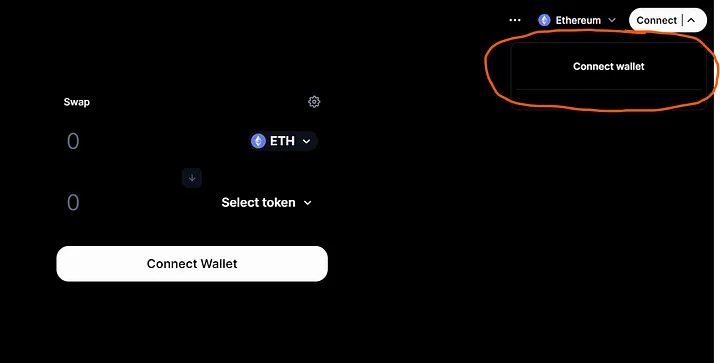
Xchange Homepage

  • Click Connect and then the connect wallet button that appears
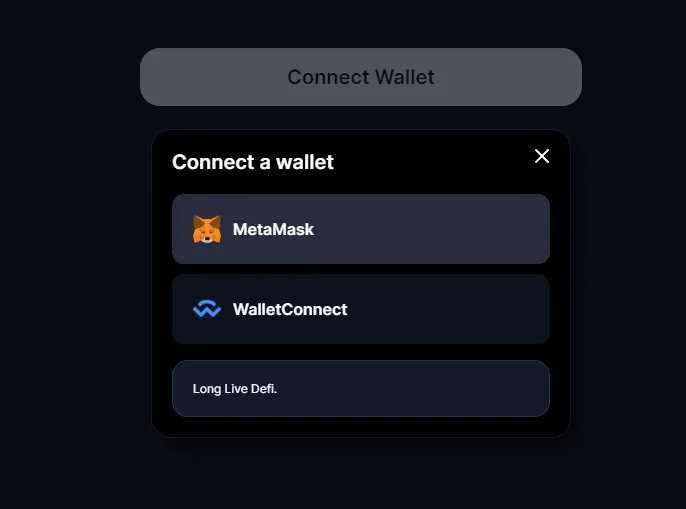
Xchange Wallet Connect

  • Select the connection method for your wallet

2 - Make sure you are on the Ethereum Chain (for this example)
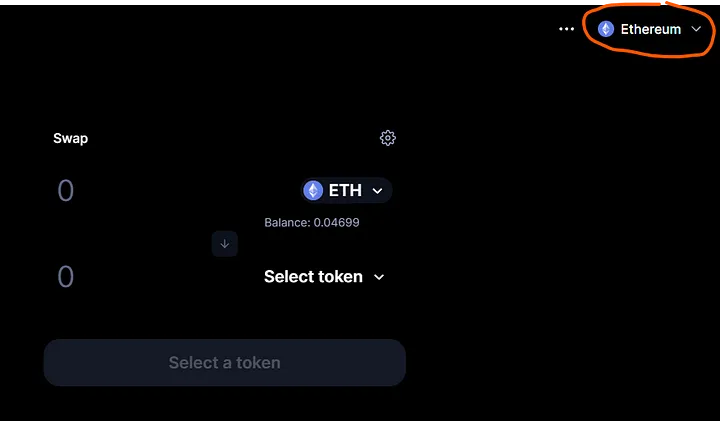
Select Chain

  • Select the Ethereum Chain

3 - Enter the tokens you want to swap. The swap is set to auto slipperage tolerance. Click the setting cog in the top right corner to override this to a preffered slippage.(use ~6% for $X7R token).
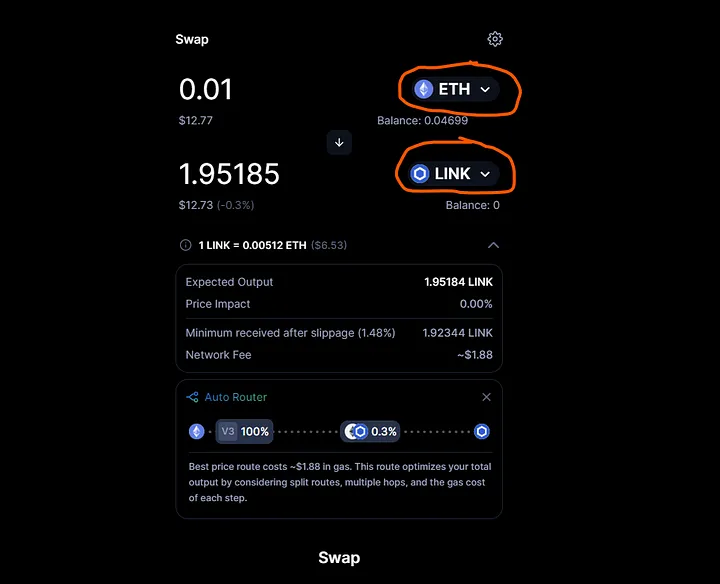
Token Swap

  • Select your tokens to swap

4 - Click ‘swap' when ready
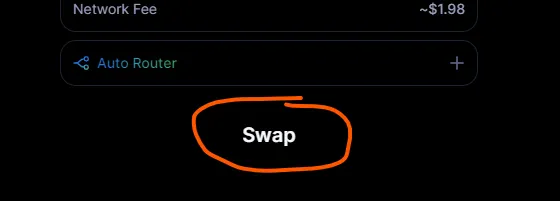
Xchange Swap Button

  • Press Swap

5 - A confirm swap pop up will appear. The first time you use Xchange you need to press Accept first then Confirm Swap
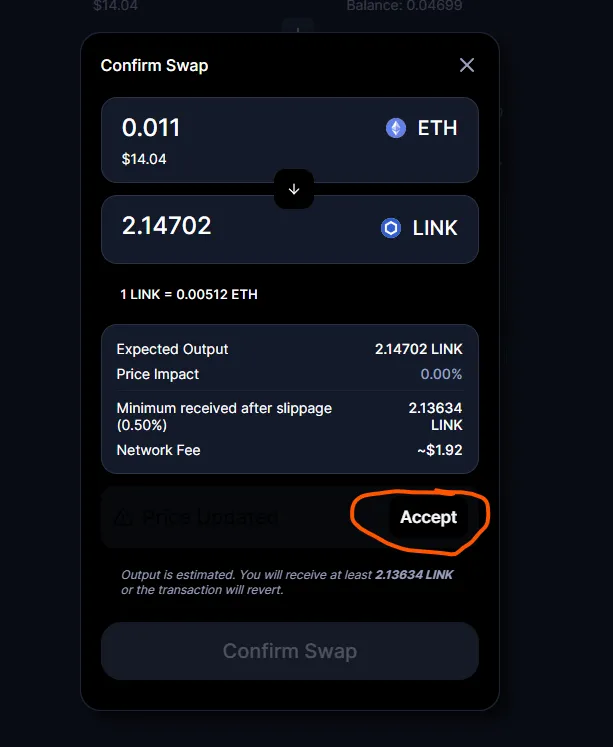
Confirm Swap

  • Press Accept on your first use followed by Confirm Swap

6 - A waiting for confirmation window will appear where you now need to approve the transaction in your wallet.
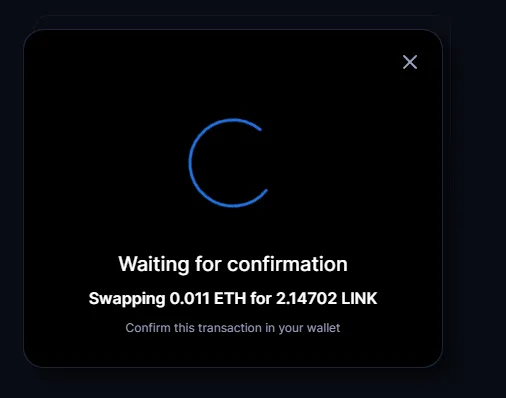
Confirm Swap

7 - When you have approved in your wallet the transaction will be submitted.
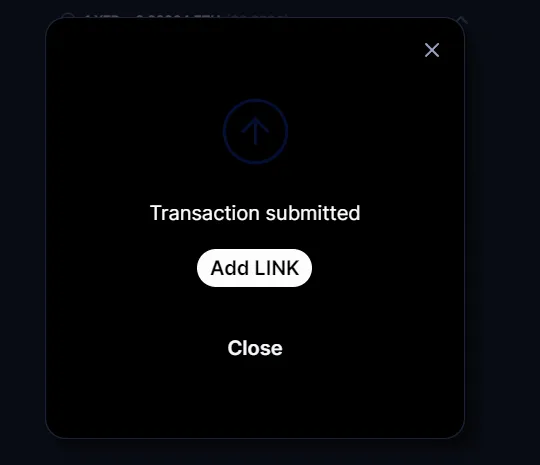
Confirm Swap

8 - You can review your transaction history in the dropdown of the the connect wallet.
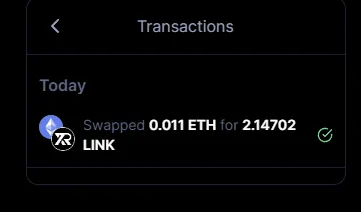
Confirm Swap

In addition to the core routing operations between pairs on Xchange (e.g. WETH -> Token A -> Token B ) we are be supporting cross DEX liquidity routing. This is to support swaps like WETH -> Uniswap Pair for Token A -> Xchange Swap for Token B.

The routing algorithm will select the most advantageous route to take either another DEX, Xchange, or across multiple pairs on both exchanges.

Previous
← Swaps
Next
Pools →

-

  • Pioneer 1488 avatar
    Guides
    View
  • Pioneer 1488 avatar
    Integration
    View
  • Pioneer 1488 avatar
    Whitepaper
    View
  • Pioneer 1488 avatar
    Breakdowns
    View
  • Pioneer 1488 avatar
    Onchains
    View
  • Pioneer 1488 avatar
    FAQ
    View