EcosystemNFTsDocs

Footer

Xchange

  • Swap
  • Liquidity
  • Loans
  • Fund
  • Vote

Tokens

  • X7R
  • X7DAO
  • X7D
  • X7101-X7105

Explore

  • Dashboard
  • Guides
  • Integration
  • Whitepaper
  • Breakdowns
  • Onchains
  • FAQs

Community

  • Telegram
  • Twitter
  • Discord
  • Warpcast
  • Blog
  • Links

Permissionless Trustless Decentralized Exchange

Launch your project on Xchange with 10-1000x the initial liquidity across multiple blockchains where anyone can Swap, Borrow and Lend!

X7 Finance·Trust No One. Trust Code. Long Live DeFi.
  • Telegram
  • Twitter
  • Discordś
  • Warpcast
  • YouTube
  • Reddit
  • GitHub
  • Pioneer 1488 avatar
    Guides
    View
  • Pioneer 1488 avatar
    Integration
    View
  • Pioneer 1488 avatar
    Whitepaper
    View
  • Pioneer 1488 avatar
    Breakdowns
    View
  • Pioneer 1488 avatar
    Onchains
    View
  • Pioneer 1488 avatar
    FAQ
    View
    • Introduction
    • Initiate A Loan
    • Provide Liquidity
    • Trade
    • Launch
    • Integrate
    • Lending
    • How Xchange Works
    • Ecosystem Participants
    • Smart Contracts
    • Glossary
    • How Lending Works
    • How Liquidiation Works
    • Swaps
    • Swapping on Xchange
    • Pools
    • Flash Swaps
    • Fees
    • Slippage
    • Pricing
    • Understanding Returns
    • ERC-20 Tokens
    • Liquidity Pools
    • Impermanent Loss
How To's

Deploy a Liquidity Pool

Deploy a Liquidity Pool and earn a percentage of fees on every trade

Hello, Liquidity Providers! Are you ready to earn a share of trading fees by a provding liquidity? When a trade happens, a small fee (e.g., 0.2% on Xchange) is charged to the traders, and 50% of this fee is proportionally distributed among the providers based on their contribution to the liquidity pool. Xchange, the native Decentralized Exchange (DEX) of X7 Finance, is here to make your liquidity a resounding success.

Follow these UI steps to deploy your liquidity pool:

Step 1: Navigate to the V2 Liquidity Pools page

Click the link here Create Position to be directed to the Liquidity page.

Step 2: Connect your wallet and select the relevant chain

Choose your desired chain and wallet in the top right hand corner (Ensure your wallet is also connected to the same chain).
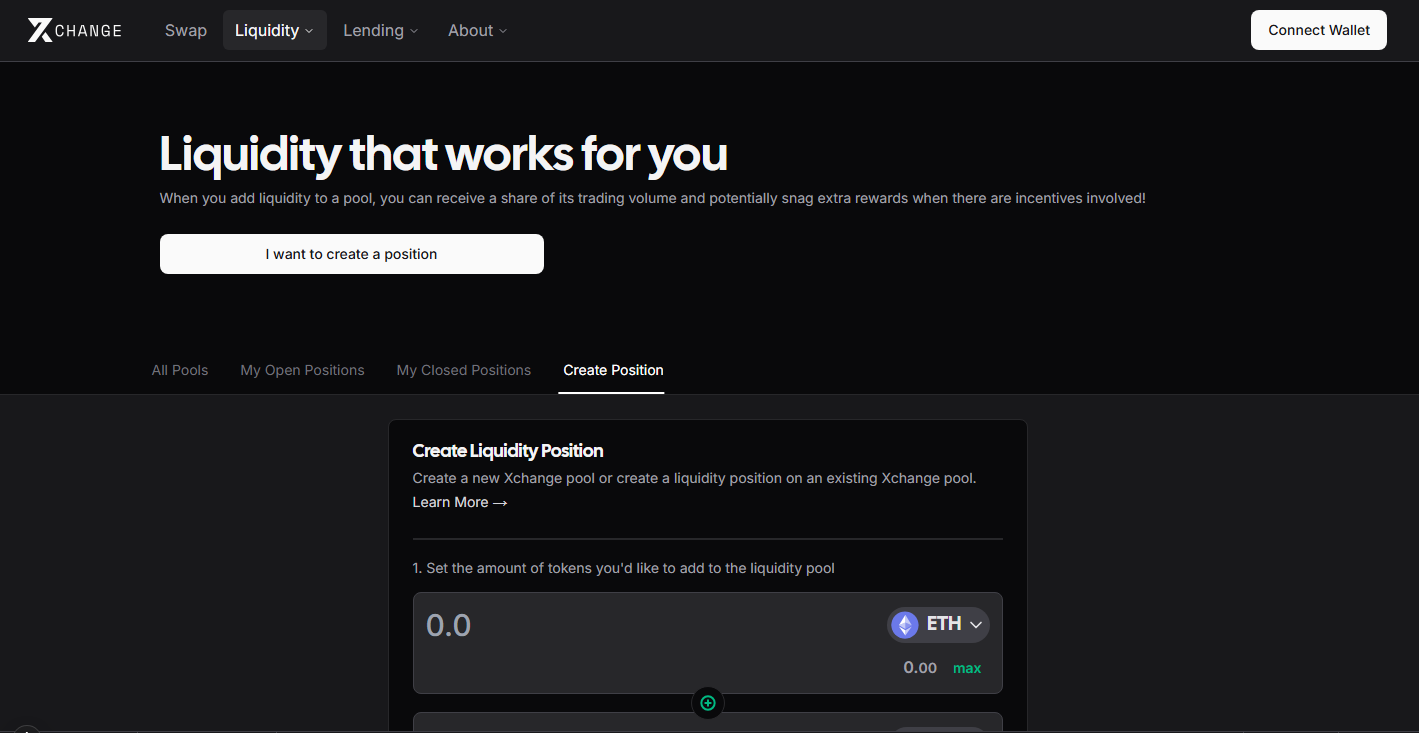
Connect your Cryptocurrency Wallet

Step 3: Select the native token for the pair

Select the native token and amount you would like to use in the pair. Remember to equally balance the pool, the amount deployed should equally match the value of the second paired token. (This should be calculated automatically, but always check)

Select the Native Token

Step 4: Select your token to pair with the native token

Next select the token and amount you would like to pair with the native token by clicking 'Select a token' and entering the contract address. Again, as before remember to check the balance of the pair, with equal amounts of token worth.

Select the Paired Token

View the details of the pool, note your share of the pool.
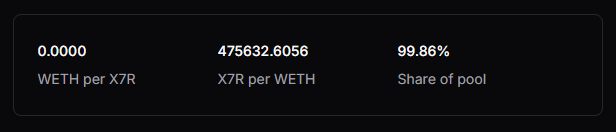
View Pool Details

Step 5: Approve both your native token and paired token and Add Liquidity

Next its time to approve your tokens for use on Xchange and supply your pool. These transactions will cost a gas fee, so please ensure you have adaquate funds to cover the costs.
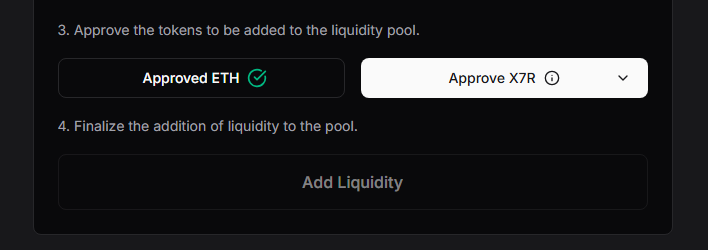
Approve Pool

Congratulations your Liquidity Pair is now deployed

Your liquidity pair is now deployed and ready for trading.

You can monitor the pool via the My Open Positions Page

Trust No One. Trust Code. Long Live DeFi!

Previous
← Introduction
Next
Provide Liquidity →

-

  • Pioneer 1488 avatar
    Guides
    View
  • Pioneer 1488 avatar
    Integration
    View
  • Pioneer 1488 avatar
    Whitepaper
    View
  • Pioneer 1488 avatar
    Breakdowns
    View
  • Pioneer 1488 avatar
    Onchains
    View
  • Pioneer 1488 avatar
    FAQ
    View

On this page

  1. Deploy a Liquidity Pool and earn a percentage of fees on every trade

  2. Follow these UI steps to deploy your liquidity pool:

    1. Step 1: Navigate to the V2 Liquidity Pools page
    2. Step 2: Connect your wallet and select the relevant chain
    3. Step 3: Select the native token for the pair
    4. Step 4: Select your token to pair with the native token
    5. Step 5: Approve both your native token and paired token and Add Liquidity
    6. Congratulations your Liquidity Pair is now deployed